Runner 运行环境、注册和多实例维护
这篇文档专门整理 Gitea Actions Runner 的运行环境、操作空间、状态维护、注册流程和并发方式。它基于 ChatTea Runner 独立 PR 中的真实机器实践:用新 chattea runner local CLI 注册两个 repo-scope host runner,通过 PR workflow 同时触发两个 job,并用 run/job/logs 命令确认执行结果。
公开文档只保留脱敏命令和结论:真实服务 URL、机器本地路径、token、.runner 内容不会写入这里。完整实践日志保存在本地 project 记录中。Git、MySQL、Runner 和 Pages 的整体文件系统边界见 ChatTea 运行时文件系统与服务边界。
两层状态:Gitea registry 和本机 local
Runner 有两层状态,需要分开理解。
Gitea registry
├── runner id
├── runner name
├── scope: repo / user / org / admin
├── labels
├── status: online / offline
├── busy
└── disabled

Local machine
├── runner root
├── bin/gitea-runner
├── config/config.yaml
├── .runner
├── work/
└── user-level systemd service
因此 CLI 也拆成两类:
chattea runner registry ...   # 管 Gitea 服务器上的 runner 记录
chattea runner local ...      # 管当前机器上的 runner 文件、配置和服务
多 runner 和 workflow 辅助则分别放在 runner pool ... 和 runner workflow ...。
本机安装环境
第一版多实例约定每个 runner 有独立 root:
<chattea-home>/runners/<runner-name>/
├── bin/gitea-runner              # runner binary,可从已有 binary 复制
├── config/config.yaml            # runner 配置
├── .runner                       # 注册身份文件,敏感,不提交
└── work/                         # host 后端 job 工作区父目录
对应的用户级 systemd service:
chattea-runner@<runner-name>.service
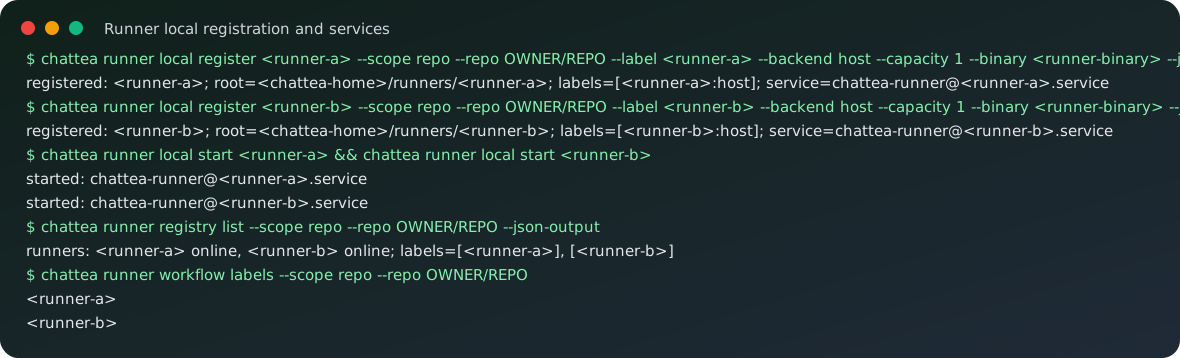
真实实践中用两个 runner:
chattea runner local register <runner-a> \
  --scope repo \
  --repo OWNER/REPO \
  --label <runner-a> \
  --backend host \
  --capacity 1 \
  --binary <runner-binary> \
  --json-output

chattea runner local register <runner-b> \
  --scope repo \
  --repo OWNER/REPO \
  --label <runner-b> \
  --backend host \
  --capacity 1 \
  --binary <runner-binary> \
  --json-output

chattea runner local start <runner-a>
chattea runner local start <runner-b>
Host 后端和免 Docker
本轮实践使用 host 后端,不依赖 Docker。CLI 中传入的 label 是 workflow 使用的名字:
chattea runner local register <runner-name> --label lean-native --backend host
ChatTea 写入 runner config 时会补上后端后缀:
runner:
  file: .runner
  capacity: 1
  labels:
    - "lean-native:host"
cache:
  enabled: false
host:
  workdir_parent: <runner-root>/work
workflow 中只写冒号前的 label:
jobs:
  prove:
    runs-on: lean-native
    steps:
      - run: echo ok
gitea-runner register 会提示命令行传入的 labels 会被 config 里的 labels 覆盖,所以 ChatTea 的做法是:先写 config.yaml,再注册 runner;注册和后续执行都以配置文件为准。
Job 的执行范围
host 后端下,job 由启动 runner daemon 的同一 Unix 用户执行。真实 job log 确认了这些点:
whoami=<runner-user>
pwd=<runner-root>/work/<task-id>/hostexecutor
workspace=<runner-root>/work/<task-id>/hostexecutor
shell=bash --noprofile --norc -e -o pipefail {0}
这意味着:
- job 工作目录在该 runner root 的
work/下面; - 每个任务会进入单独的
<task-id>/hostexecutor工作区; - workflow 生成的文件先落在这个工作区里;
- job 拥有启动 runner 的 Unix 用户权限;
- host 后端不是强安全沙箱,不能把不可信 workflow 当成隔离环境执行。
如果要跑不可信任务,需要后续单独设计隔离策略,例如独立低权限用户、容器、虚拟机或一次性工作目录清理策略。
Scope 和注册流程
Runner scope 决定 Gitea 侧哪些仓库可以使用该 runner:
| Scope | 注册命令形态 | 适用范围 |
|---|---|---|
| repo | --scope repo --repo OWNER/REPO |
只服务指定仓库 |
| user | --scope user |
服务当前用户可覆盖的仓库 |
| org | --scope org --org ORG |
服务指定组织仓库 |
| admin | --scope admin |
管理员级全局 runner |
workflow 能否选中 runner,取决于两个条件:
1. runner scope 覆盖该仓库;
2. workflow 的 runs-on 匹配 runner label。
Gitea 服务器侧可以用 registry 命令查看:
chattea runner registry list --scope repo --repo OWNER/REPO --json-output
chattea runner registry view --scope repo --repo OWNER/REPO <runner-id>
chattea runner registry disable --scope repo --repo OWNER/REPO <runner-id>
chattea runner registry enable --scope repo --repo OWNER/REPO <runner-id>
chattea runner registry delete --scope repo --repo OWNER/REPO <runner-id>
辅助命令可以列出当前 workflow 可写入 runs-on 的 labels:
chattea runner workflow labels --scope repo --repo OWNER/REPO
并发模型
并发有两个层次:
单 runner daemon:
  runner.capacity 控制一个 daemon 可同时接几个 job。

多 runner instances:
  多个 runner root + 多个 systemd service + 多个 labels。
本轮实践采用第二种方式:
runner count: 2
backend: host
capacity: 1 per runner daemon
workflow event: pull_request
workflow jobs: runner_a, runner_b
runs-on: <runner-a>, <runner-b>
result: both jobs completed successfully
started_at: both jobs started in the same second
也就是说,同一机器、同一 Unix 用户下,两个独立 runner service 可以并发接两个不同 job。每个 job 进入各自 runner root 下的 work/<task-id>/hostexecutor。
网页端表现位置
真实实践完成后,Gitea 网页端主要在四类页面上体现 Runner 和 Actions 结果。
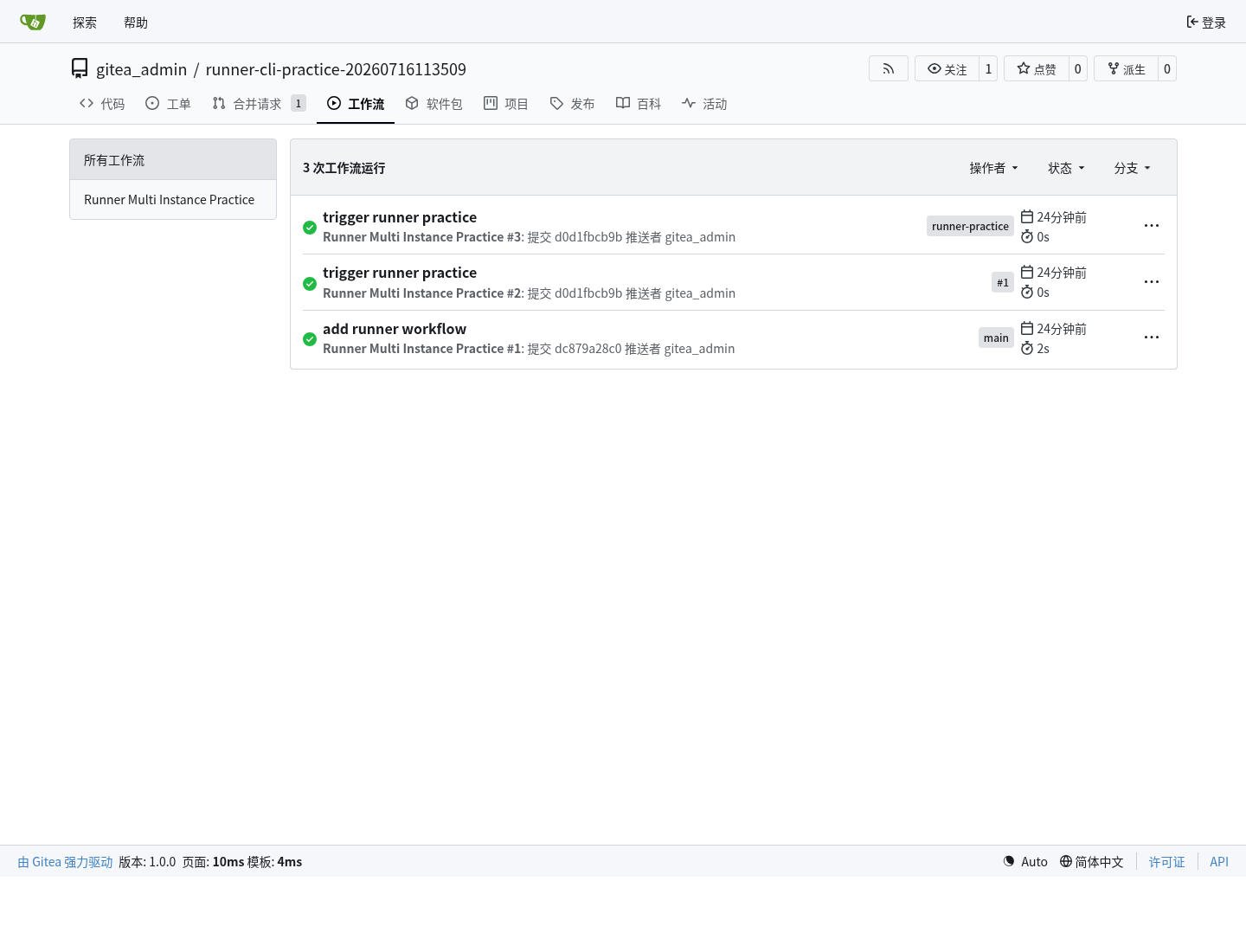
第一,仓库的 工作流 tab 会出现 workflow run 列表。这里能看到 PR 触发的 run、状态和结论:
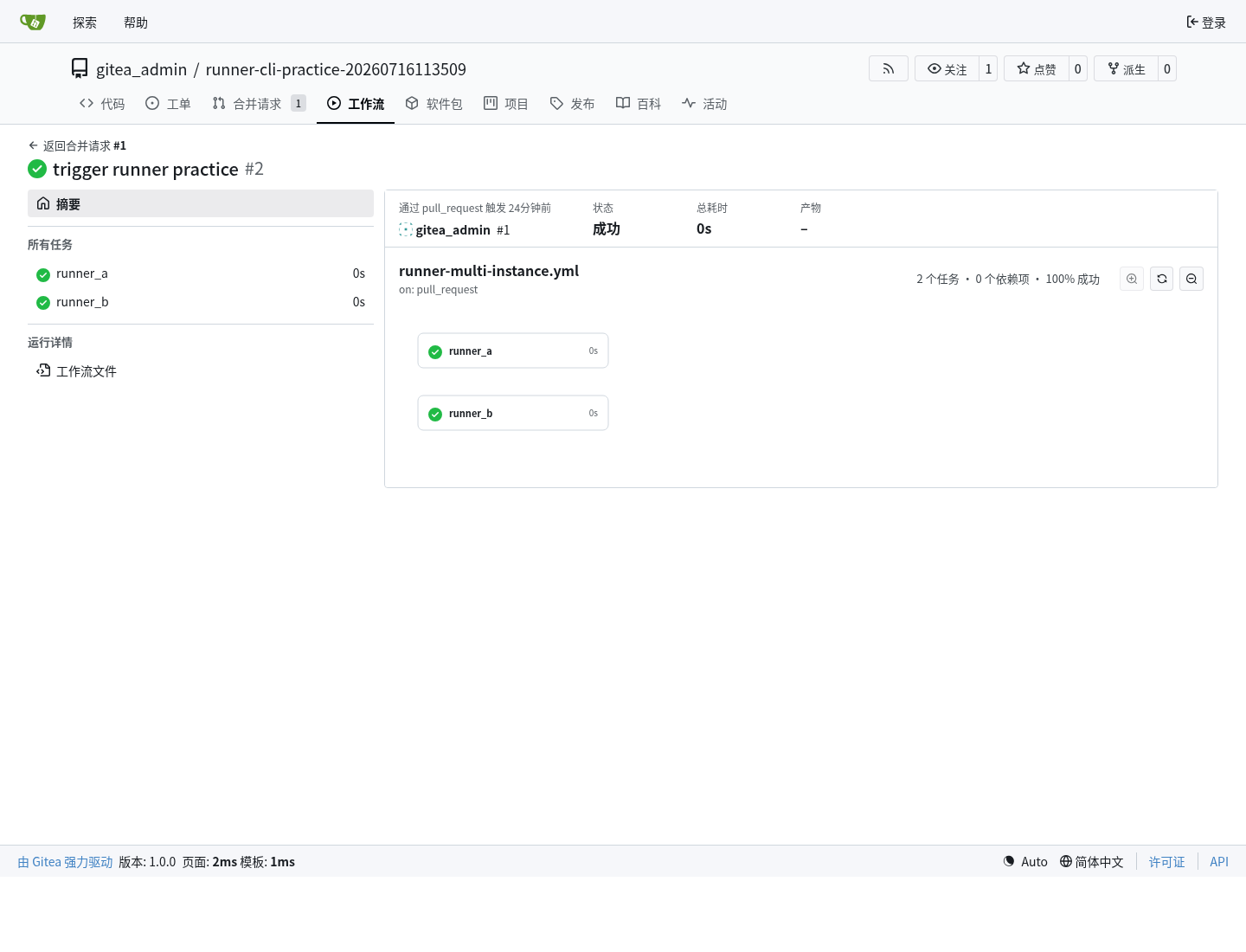
第二,进入某个 run 后,页面会显示 workflow 图和两个 job 节点。这个页面能确认两个 job 都是成功状态,并且它们来自同一个 pull_request run:
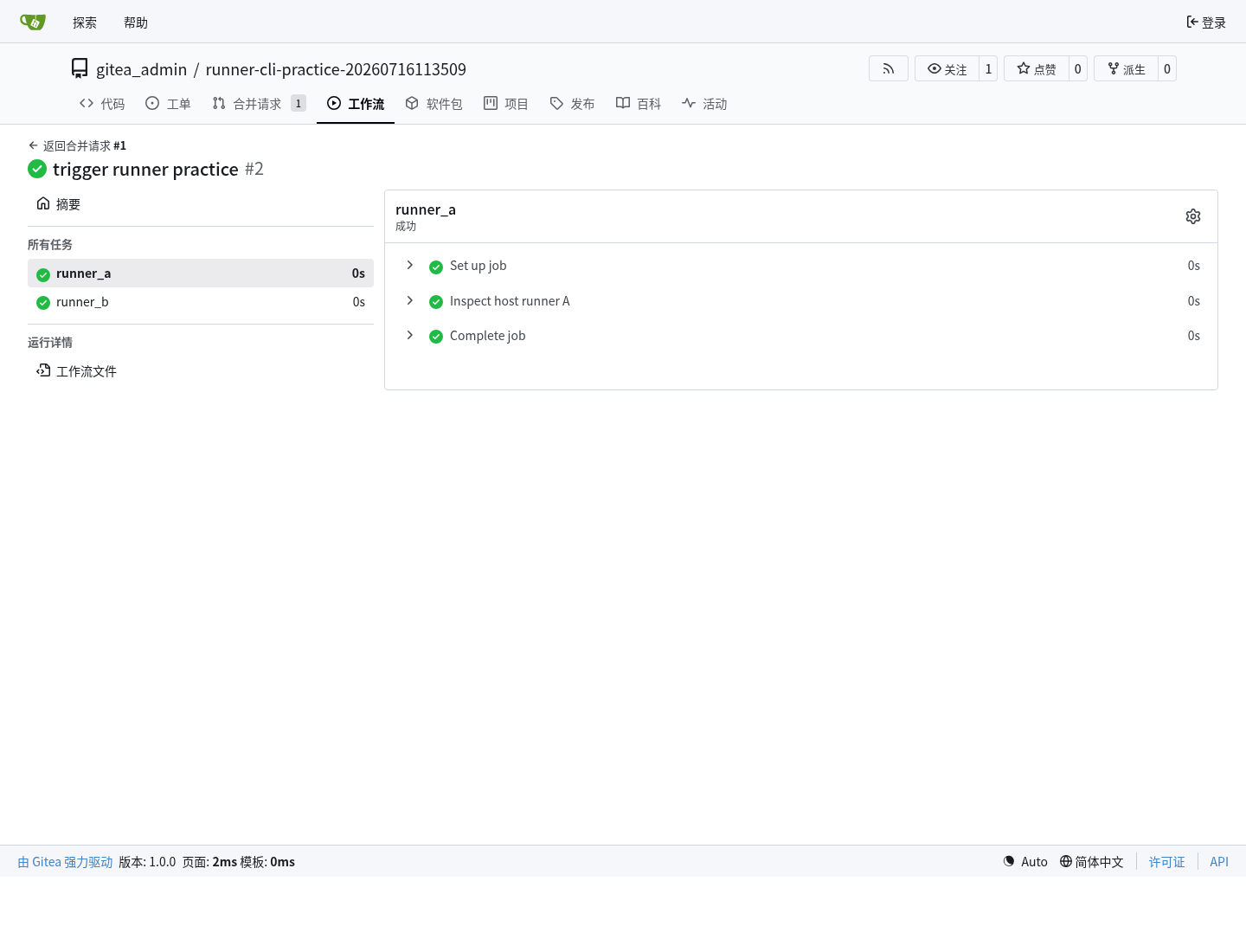
第三,进入 job 页面后,Gitea 会展示单个 job 的日志区域和运行状态。runner A 的 job 页面对应 runs-on: <runner-a>:
第四,runner B 的 job 页面对应 runs-on: <runner-b>,用于确认两个不同 label 被两个不同 runner 接走:
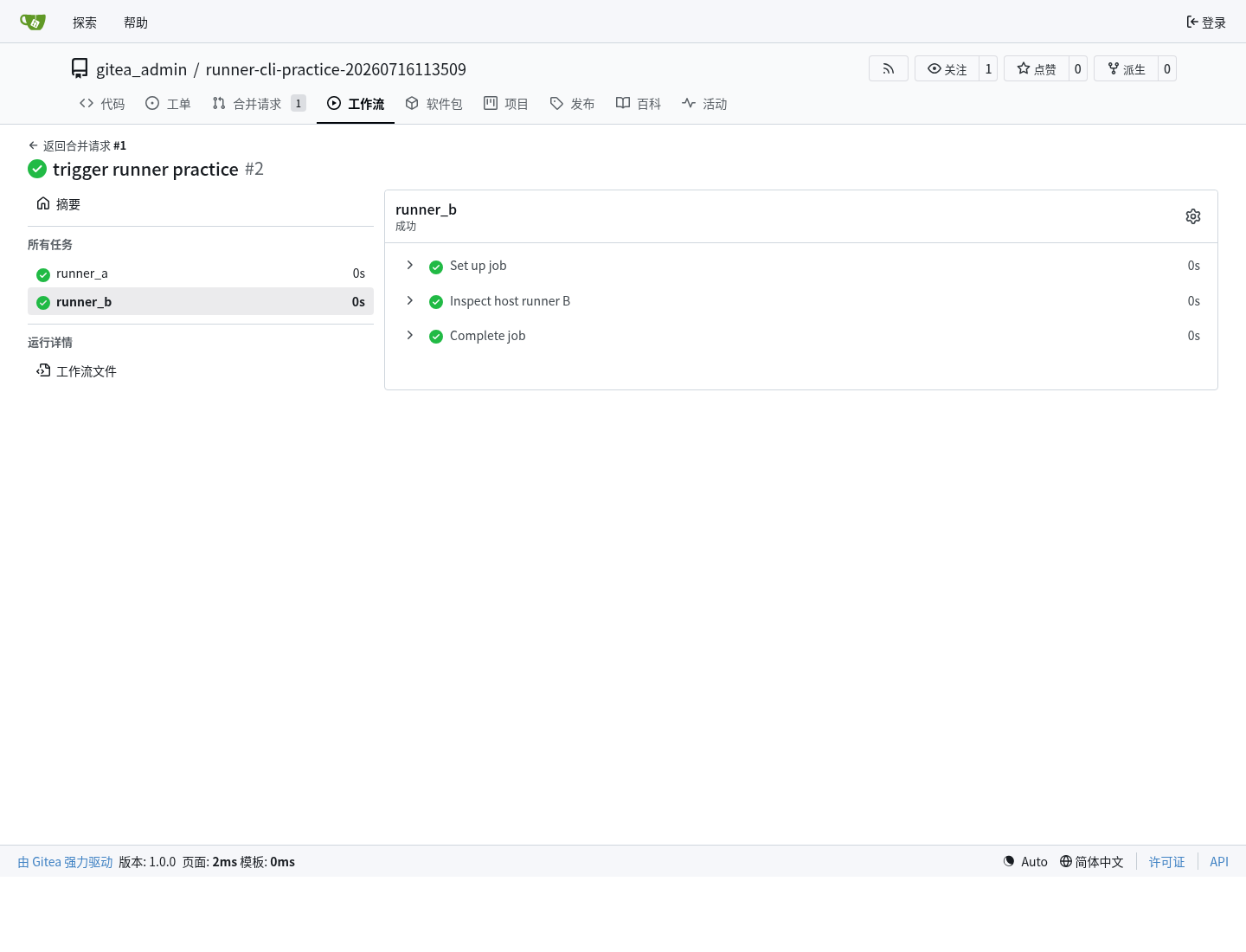
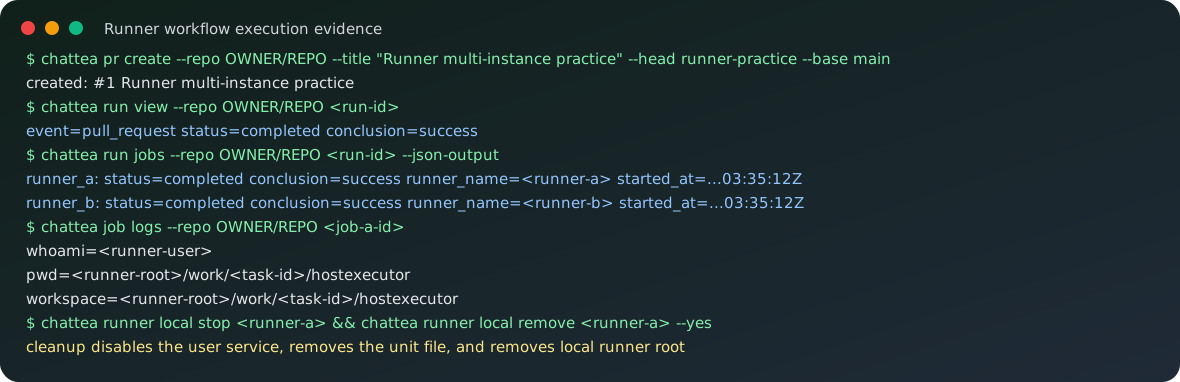
上面的截图是 Gitea 网页端真实页面截图;下面的 SVG 是同一轮实践的脱敏命令摘要,方便在文档里快速扫命令链。
维护命令
本机维护命令:
chattea runner local list --json-output
chattea runner local view <runner-name> --json-output
chattea runner local status <runner-name>
chattea runner local logs <runner-name> --lines 50
chattea runner local stop <runner-name>
chattea runner local remove <runner-name> --yes
local remove 的维护边界在实践中被修正过:删除本机 runner 时不能只删 unit 文件,还要先 disable user service,清理 default.target.wants 里的 symlink,然后 daemon-reload,最后删除 runner root。
配置维护命令:
chattea runner local config show <runner-name>
chattea runner local config set-labels <runner-name> --label lean-native --backend host
chattea runner local config set-capacity <runner-name> --capacity 2
chattea runner local config set-workdir <runner-name> --workdir <runner-workdir>
chattea runner local config set-backend <runner-name> --backend host
修改 config 后,应重启对应 runner:
chattea runner local restart <runner-name>
Pool 批量管理
Pool 是多个本机 runner 的薄封装,适合在同一台机器上快速创建一组并发 runner:
chattea runner pool create lean --count 2 \
  --scope repo \
  --repo OWNER/REPO \
  --label lean-native \
  --backend host \
  --register \
  --binary <runner-binary>

chattea runner pool start lean
chattea runner pool status lean
chattea runner pool stop lean
chattea runner pool remove lean --yes
第一版 pool 使用固定命名:
lean-1
lean-2
...
已实践命令链
本轮真实实践跑过的命令链:
chattea repo create --name <practice-repo> --public --json-output

git init -b main
git remote add origin <gitea-repo-url>.git
git push -u origin main

chattea runner local register <runner-a> --scope repo --repo OWNER/REPO --label <runner-a> --backend host --capacity 1 --binary <runner-binary> --json-output
chattea runner local register <runner-b> --scope repo --repo OWNER/REPO --label <runner-b> --backend host --capacity 1 --binary <runner-binary> --json-output
chattea runner local start <runner-a>
chattea runner local start <runner-b>
chattea runner registry list --scope repo --repo OWNER/REPO --json-output
chattea runner workflow labels --scope repo --repo OWNER/REPO

git checkout -b runner-practice
git push -u origin runner-practice
chattea pr create --repo OWNER/REPO --title "Runner multi-instance practice" --head runner-practice --base main

chattea run list --repo OWNER/REPO --json-output
chattea run view --repo OWNER/REPO <run-id>
chattea run jobs --repo OWNER/REPO <run-id> --json-output
chattea job logs --repo OWNER/REPO <job-id>

chattea runner local status <runner-a>
chattea runner local status <runner-b>
chattea runner local stop <runner-a>
chattea runner local stop <runner-b>
chattea runner registry delete --scope repo --repo OWNER/REPO <runner-id>
chattea runner local remove <runner-a> --yes
chattea runner local remove <runner-b> --yes
后续待验证
- Docker 后端的真实隔离边界;
- 用独立低权限 Unix 用户运行 runner 的权限收敛效果;
- pool
scale的删除、扩容和迁移策略; - 长时间运行后
work/的清理策略; - artifact/cache 在 host 后端下的目录和生命周期。